NEW SELECTOR

Select the right compact heat recovery unit for each Project

S&P’s new platform guides you step by step to the optimal solution, tailored to your project’s requirements, with precision and in less time.

enginair-mockup-desktop

Innovación y eficiencia en cada detalle

FEATURES

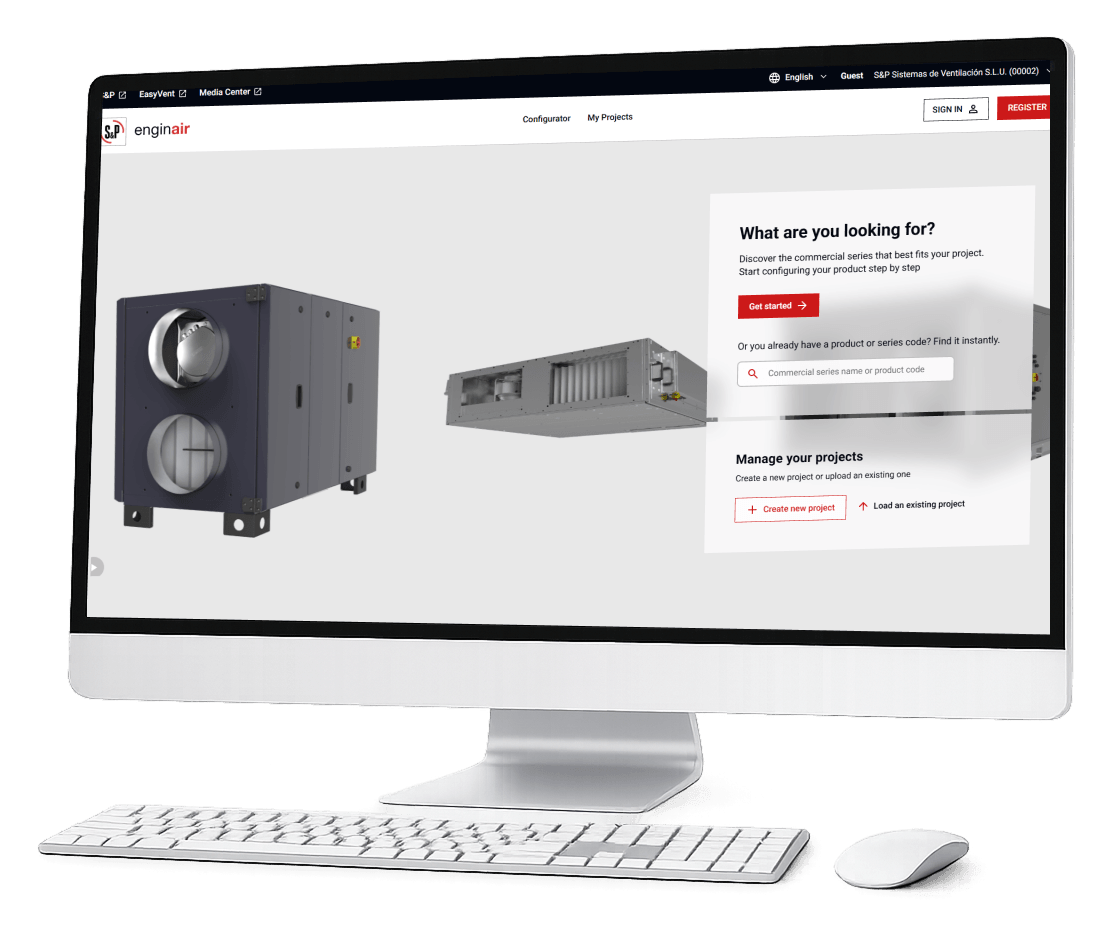
Configure, compare, and define your equipment in a single environment

Multiple product lines and technical combinations come together in every project. Enginair organizes them step by step and guides you directly to the optimal configuration, integrating the entire selection process into a single environment.
BENEFITS

Benefits of using Enginair

ICONOGRAPHY_17060-1

Guided and intuitive selection

A step-by-step workflow that guides you to the right configuration without switching between tools.

ICONOGRAPHY_17116

Much faster
calculations

An optimized engine that reduces calculation times and speeds up project iteration.

EASYVENT RED PC

Access with your EasyVent account

Use the same EasyVent credentials without needing to create a new user account.

Capa_1-1

Designed for a streamlined experience

Intuitive navigation enhances usability, streamlining the process.

EFICIENCIA

Máxima eficiencia y durabilidad

animacion_ESP
THE PROCESS

From project to system in three steps

enginair-02-serie

STEP 1

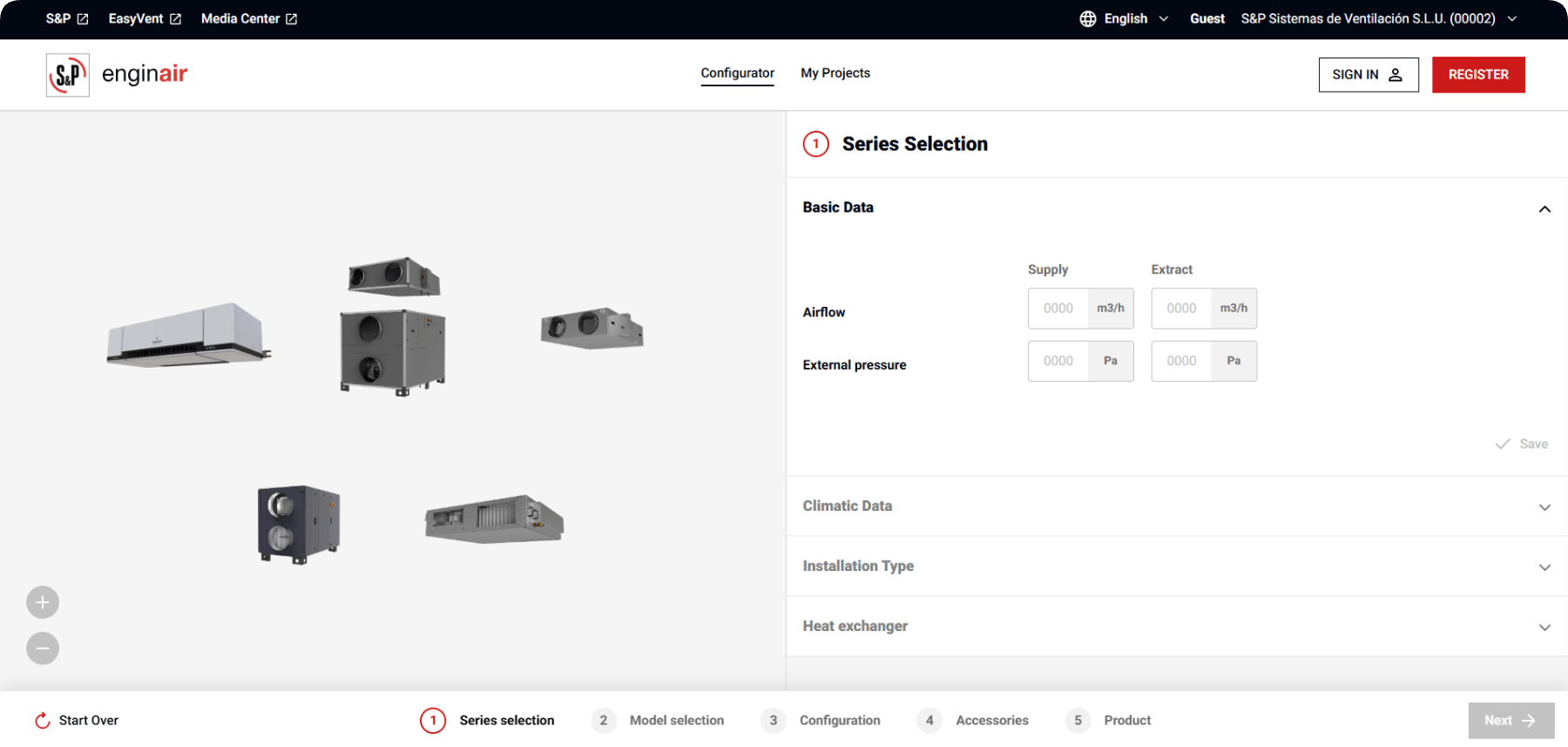
DefIne your project

Enter the key parameters: airflow, system type, thermal and acoustic requirements.

enginair-03-modelo

STEP 2

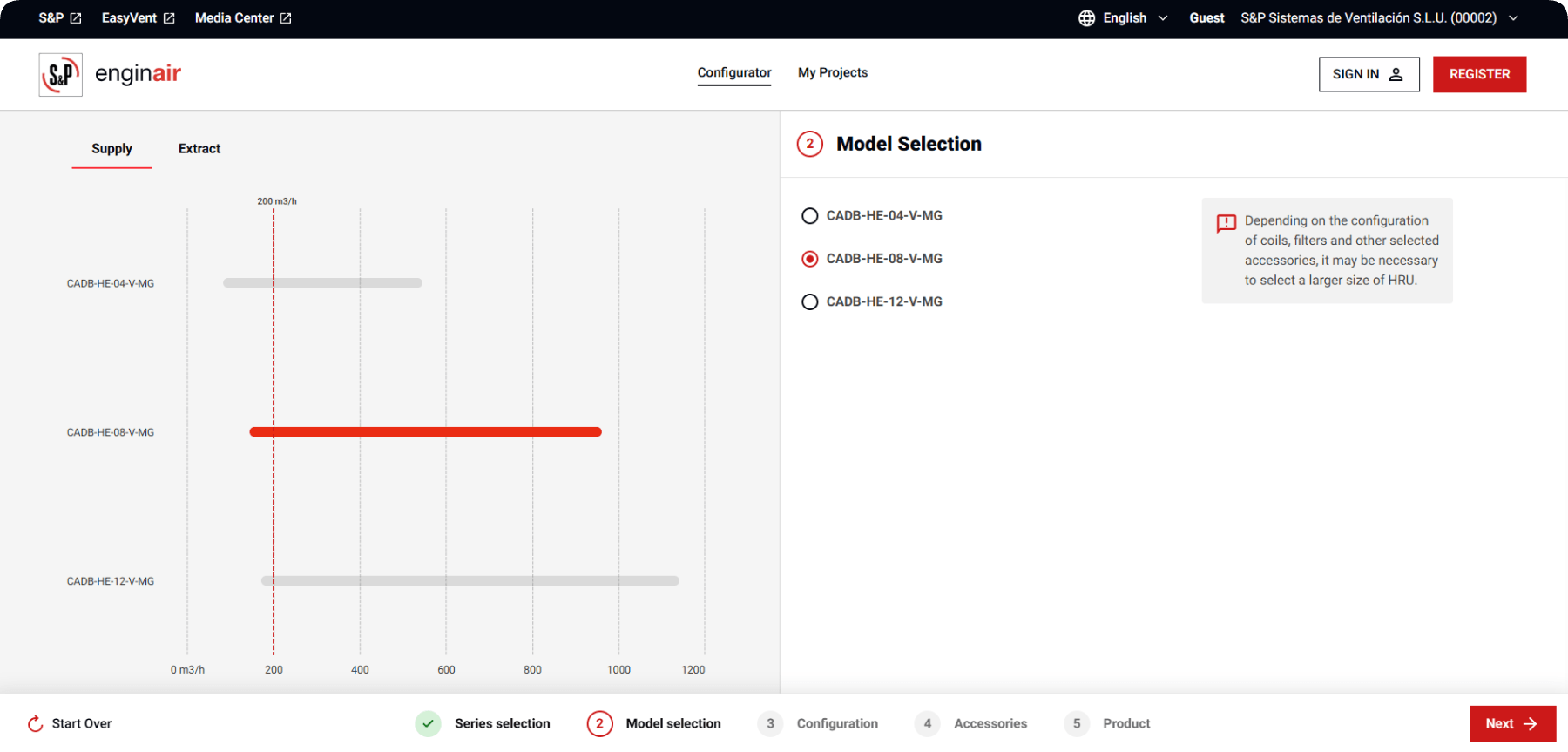
Adjust and filter

The system automatically displays only the configurations compatible with your parameters.

screenshot-enginair-configuracion-02

STEP 3

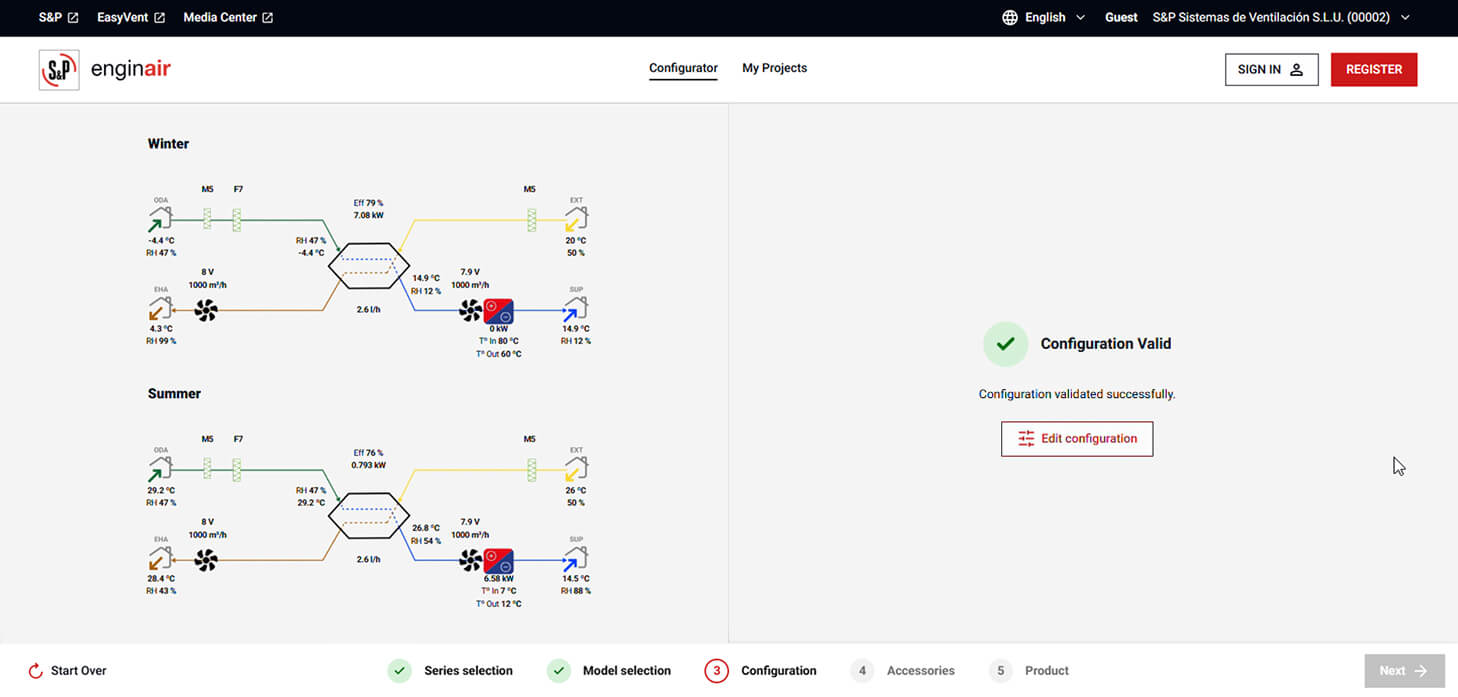
Get your solution

Access the final configuration with all technical information ready to use.

DEMO

See how Enginair works

REQUEST A DEMO

Would you like to see how Enginair works in detail?

If you have questions about the selector's capabilities or how it integrates with your current workflow, request a demo and we'll send it to you.